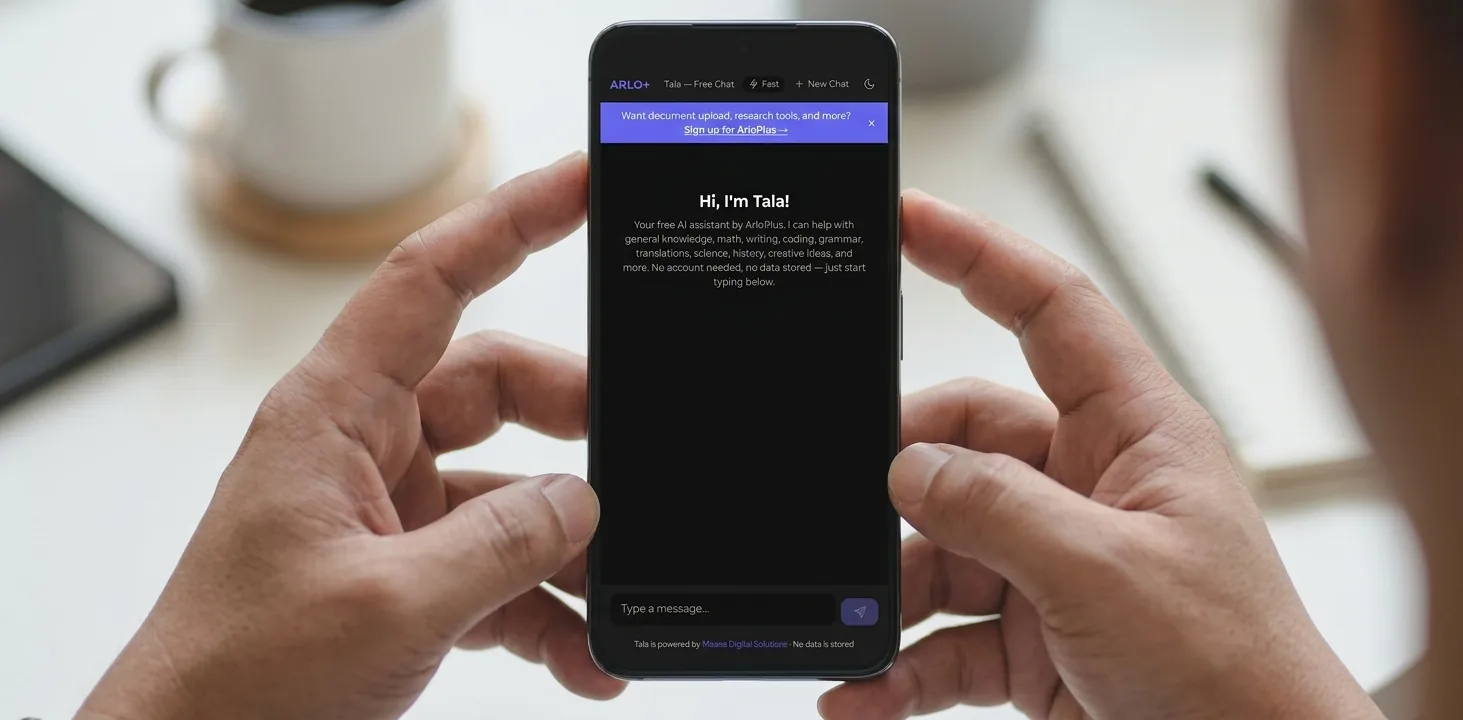
Try ARLO+ Free Chat for Everyday Tasks
AI chatbots can be useful for quick help with writing, learning, planning and simple problem-solving. If you want to try one without committing to a paid plan, ARLO+ offers a Free Chat experience at arloplus.com/free-chat. It is a practical way to see how conversational AI can support daily work, study and home tasks in Samoa and across the Pacific.
This free version is designed for accessibility and convenience, but it is important to understand its limits. It is not as comprehensive or advanced as the registered ARLO+ chatbot, which offers additional capabilities such as grammar checking, online search, legal data access and more. The free chatbot also does not have live access to the internet, and its model is trained up to January 2025. That means users should validate any important information, especially where accuracy matters.
What ARLO+ Free Chat Can Help With
Even without live internet access, a free AI chatbot can still be useful for many everyday tasks. For students, professionals, public servants and home users, it can provide a fast starting point for drafting, explaining and organising ideas.
Some common uses include:
- drafting letters and emails
- solving simple maths questions
- summarising notes
- practising a language
- generating study questions
- creating schedules and checklists
- helping with basic coding issues
Used well, it can save time and reduce the effort needed to get from a blank page to a first draft.
Fast Mode vs Thinking Mode
ARLO+ Free Chat includes two ways to work: Fast and Thinking mode. Each is suited to different tasks.
Fast Mode
Fast mode is best when you want a quick response.
Use it for:
- short answers
- simple maths
- brief rewrites
- everyday planning
- quick ideas for a message or post
It is a good choice when speed matters more than depth.
Thinking Mode
Thinking mode is better for more careful reasoning or longer tasks.
Use it for:
- step-by-step problem solving
- more detailed explanations
- drafting structured content
- comparing options
- tasks that need more reflection
If you are working on something important, thinking mode can give a more considered response. However, even in this mode, users should still check facts and verify critical details.
Practical Ways to Use the Free Chat
Here are some simple, useful examples of how people in Samoa and the Pacific can use the free chatbot.
1. Socratic tutoring for students
Instead of asking for the answer straight away, students can ask the chatbot to guide them with questions.
Example prompt:
I’m stuck on this calculus problem. Don't give me the answer, but ask me leading questions to help me solve it step-by-step.
This approach can help students think more clearly and build problem-solving skills.
2. Explaining difficult ideas simply
The chatbot can help simplify complex topics into plain language.
Example task:
Summarise this scientific paper in simple terms.
Or:
Explain quantum entanglement using a sports analogy.
This can be useful for learners, teachers and anyone trying to understand technical material more quickly.
3. Language practice and conversation support
For users learning another language, the chatbot can act as a conversation partner.
Example prompt:
Act as a barista in Madrid. I will try to order coffee in Spanish, and you correct my grammar as we go.
This kind of practice is helpful for building confidence, especially when there is no native speaker available at the moment.
4. Writing help for letters, essays and messages
A chatbot can help you draft a first version of a letter, email or report.
Example tasks:
- Write a polite letter requesting school records.
- Create an outline for a history essay based on these notes.
- Read my introduction paragraph and tell me if my thesis statement is clear.
For professionals and government users, this can be useful for preparing internal notes, meeting summaries or public-facing messages.
5. Simple coding and debugging support
If you are learning to code, the chatbot can help identify basic errors.
Example task:
Here is a broken piece of Python code. Find the syntax error and explain how to fix it.
It is not a replacement for proper technical review, but it can be a helpful learning aid.
6. Study aids and revision tools
Students can turn notes into revision material.
Example tasks:
- Based on these notes about the French Revolution, create 10 flashcard questions.
- Create a 5-question multiple-choice quiz on cellular mitosis for Year 12 level.
This can make revision faster and more interactive.
7. Planning and time management
The chatbot can also help organise tasks and deadlines.
Example prompt:
I have a 2,000-word essay due in two weeks. Create a daily study schedule that allocates time for research, drafting and proofreading.
This can be useful for students, busy professionals and households managing multiple responsibilities.
Good Practice: Check Important Information
Because ARLO+ Free Chat does not have live internet access and is trained only up to January 2025, users should be careful with time-sensitive or high-stakes information.
That means you should always verify:
- current laws and regulations
- recent news or policy changes
- medical or health advice
- financial figures
- examination requirements
- any information that must be exact
The free chatbot can help you get started, but it should not be treated as the final authority for critical decisions.
How Different Users Can Benefit
Students
Students can use the free chatbot for revision, practice questions, essay planning and study schedules. It is especially useful when they need help understanding a topic in a simpler way.
Educators
Teachers can use it to draft lesson ideas, create quizzes, simplify explanations and prepare example questions. It can save preparation time, while still allowing educators to review and adapt the output.
Professionals and businesses
Office teams can use it for first drafts of emails, meeting agendas, summaries and internal notes. Small businesses may also find it useful for writing product descriptions, customer replies or task lists.
Government and community users
For public sector and community work, the chatbot can help draft communication, summarise information and organise plans. As with any AI tool, outputs should be checked before use in official settings.
Home users
At home, people can use it for simple maths, trip planning, reminders, letter drafting and everyday questions. It can be a practical assistant for busy households.
Getting Started with ARLO+ Free Chat
If you want to explore what AI can do, the easiest place to begin is the free chat experience at arloplus.com/free-chat.
A few tips for better results:
- Be specific about what you want.
- Give context where needed, such as level, audience or purpose.
- Ask for format if you want bullet points, a table or a short paragraph.
- Request revisions if the first answer is not quite right.
- Check key facts before sharing or relying on the result.
The more clearly you ask, the more useful the response is likely to be.
A Practical First Step into AI
ARLO+ Free Chat offers a simple way for people in Samoa and the Pacific to start using AI in everyday life. Whether you are drafting a letter, revising for exams, practising a language or organising your week, it can provide quick support and save time.
Just remember the limits: it is not the same as the registered ARLO+ chatbot, it does not browse the live internet, and its knowledge is trained up to January 2025. Used with that in mind, it can still be a valuable and accessible tool for learning, productivity and practical problem-solving.
If you are curious, try it for yourself at ARLO+ Free Chat and see how it fits into your daily routine.